

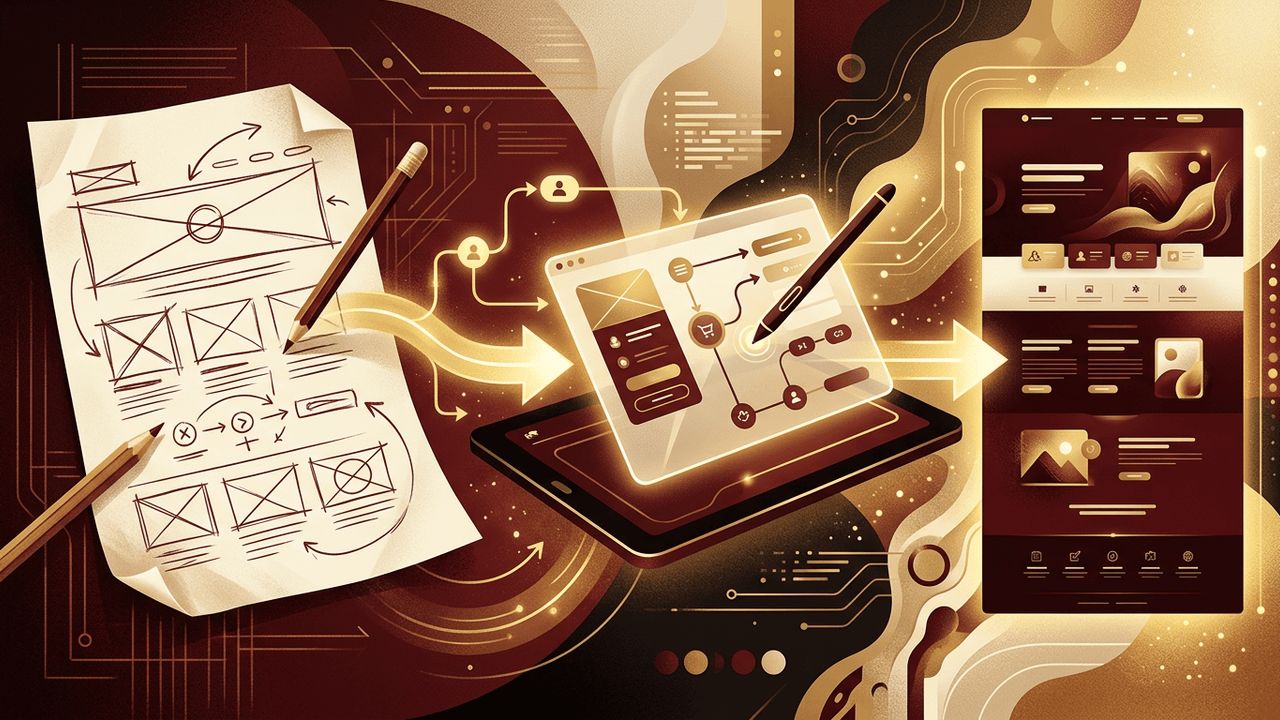
Web page designing is the hands-on practice of transforming ideas, content, and brand guidelines into visual layouts that work in a browser. It requires creativity, but it also depends on a reliable workflow that takes a page from rough concept to polished, functional design. Whether you are a beginner learning the craft or a professional refining your process, understanding how to do web page designing step by step helps you work faster, collaborate better, and produce consistently strong results. This guide explores the workflow, tools, and techniques used in modern web page designing.
How AAMAX.CO Streamlines the Web Page Designing Process
An efficient design workflow saves time and leads to better outcomes, and that is exactly what businesses gain when they hire AAMAX.CO for web design and development. AAMAX.CO is a full-service digital marketing company offering web development, digital marketing, and SEO services worldwide. Their designers follow a proven process from discovery to final handoff, using collaborative tools so clients can review progress and provide feedback at every stage. Because they also build and optimize the pages they design, the transition from concept to live website is seamless.
Gather Requirements and Content
Before opening a design tool, gather everything you need. Clarify the page's purpose, target audience, and key messages. Collect brand guidelines such as logos, colors, and fonts. Most importantly, obtain the actual content, including headlines, body copy, images, and videos. Designing with real content rather than placeholder text leads to more accurate layouts and fewer revisions later.
Find Inspiration and Reference
Look at well-designed websites in your industry and beyond. Design galleries and pattern libraries can reveal effective layouts, navigation styles, and interaction ideas. Create a mood board that captures the colors, typography, imagery, and overall feel you want to achieve. Inspiration should inform your direction, not be copied directly.
Sketch Initial Concepts
Sketching is a fast, low-pressure way to explore ideas. Using paper and pencil, draw several rough layouts for the page, experimenting with different arrangements of headlines, images, and content blocks. Do not worry about details at this stage. The goal is to generate options quickly and identify the most promising direction.
Create Wireframes
Translate your best sketch into a digital wireframe. Wireframes use simple boxes, lines, and text to represent page elements without colors or images. They focus attention on layout, content hierarchy, and user flow. Share wireframes with stakeholders to confirm structure before moving into visual design, which helps avoid costly changes later.
Build a Design System
A design system is a collection of reusable styles and components that ensure consistency across pages. Define:
- Color tokens for primary, secondary, background, text, and accent colors.
- Typography styles for headings, body text, captions, and links.
- Spacing rules based on a consistent scale.
- Components such as buttons, cards, forms, navigation bars, and footers.
Design systems speed up work on future pages and make collaboration with developers smoother.
Design High-Fidelity Mockups
Using tools such as Figma, Adobe XD, or Sketch, apply your design system to the wireframe to create a detailed mockup. Add real content, images, and icons. Pay attention to alignment, spacing, contrast, and visual hierarchy. Design for desktop, tablet, and mobile breakpoints to show how the page adapts. Use auto-layout features and responsive constraints to make designs flexible.
Prototype Interactions
Modern web pages include interactions such as hover states, dropdown menus, modals, and animations. Use prototyping features to demonstrate how these elements behave. Prototypes help stakeholders understand the experience and allow you to test usability before development begins. Keep animations subtle and purposeful so they enhance rather than distract.
Review Accessibility
Accessibility should be part of the designing process, not an afterthought. Check color contrast ratios, ensure text sizes are readable, and design visible focus states for keyboard users. Make sure interactive elements are large enough to tap on mobile devices. Plan for descriptive alt text and clear form labels. Accessible designs serve more users and often improve overall usability.
Gather Feedback and Iterate
Share your mockups and prototypes with stakeholders and, ideally, real users. Collect feedback on clarity, aesthetics, and ease of use. Prioritize changes that improve the user experience and support the page's goals. Iteration is a normal and valuable part of the process, and each round brings the design closer to its best form.
Prepare a Developer Handoff
When the design is approved, prepare it for development. Organize layers and components, name elements clearly, and export assets in optimized formats. Use design tools' inspect features so developers can access measurements, colors, and typography details. Provide notes on interactions, responsive behavior, and edge cases. Close collaboration ensures the final page matches the design, and expert website design teams often remain involved through development to review the build.
Useful Tools for Web Page Designing
- Figma: Industry-standard collaborative design and prototyping.
- Miro or FigJam: Whiteboarding for sketches and brainstorming.
- Coolors and Adobe Color: Palette generation and contrast checking.
- Google Fonts: Free, web-ready typefaces.
Conclusion
Web page designing is a structured, creative workflow that moves from requirements and inspiration to sketches, wireframes, design systems, mockups, prototypes, accessibility reviews, feedback, and developer handoff. By following this process and using the right tools, you can design web pages that are visually appealing, consistent, accessible, and ready to be built into effective live experiences.
