

Designing a website can feel like staring at a blank canvas. Where do you start, and how do you turn ideas into a site that looks great and achieves real goals? Professional designers do not rely on inspiration alone. They follow a structured process that moves from understanding the problem to planning, sketching, refining, and testing. By adopting the same approach, you can design a website with confidence and avoid the common trap of jumping straight into visuals without a clear plan. In this article, we will walk through the professional website design process phase by phase, sharing practical tips you can apply to your own project.
How AAMAX.CO Designs Websites With Purpose
AAMAX.CO is a full service digital marketing company offering web development, digital marketing, and SEO services worldwide. Their design process begins with understanding each client's business, audience, and goals, then moves through strategy, wireframing, visual design, and prototyping before development begins. This structured approach results in websites that are visually compelling, easy to use, and optimized for conversions and search engines. Businesses benefit from a collaborative experience where every design decision is intentional and tied to measurable outcomes.
Phase 1: Discovery
The discovery phase is about understanding the project before designing anything. Answer key questions: What is the purpose of the website? Who is the target audience? What problems are they trying to solve? What actions should they take on the site? Who are the main competitors, and how do their websites perform? What brand assets, such as logos and colors, already exist?
Gather this information through stakeholder conversations, customer feedback, analytics from any existing site, and competitor research. The insights from discovery form the foundation for every design decision.
Phase 2: Define Goals and Success Metrics
Turn discovery insights into clear, measurable goals. Examples include increasing contact form submissions, boosting online sales, reducing support inquiries, or growing newsletter subscribers. Define how you will measure success, such as conversion rates or time on page. Goals keep the design focused and give you a benchmark to evaluate results after launch.
Phase 3: Information Architecture
Information architecture organizes content so users can find what they need. Create a sitemap that lists all pages and their hierarchy. Plan the main navigation and secondary links. Map user journeys showing how different visitors move through the site to complete their goals. A well-structured site improves usability and helps search engines understand your content.
Phase 4: Content Planning
Design and content work together. Outline what content each page needs, including headlines, body copy, images, videos, and calls to action. Whenever possible, design with real content rather than placeholder text, since actual content length and structure influence layout decisions. Content-first design produces more effective pages.
Phase 5: Wireframing
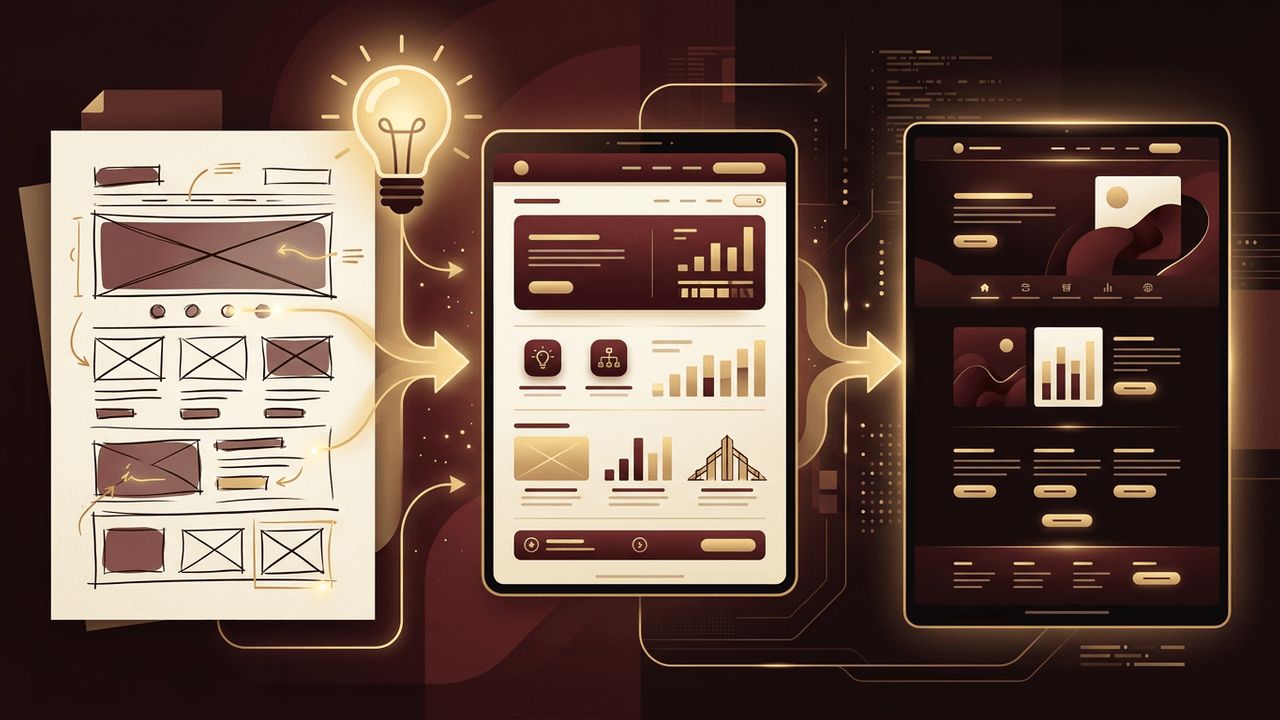
Wireframes are simple, low-fidelity layouts that show the placement of elements on each page without colors or detailed styling. Start with rough sketches on paper to explore ideas quickly, then create cleaner digital wireframes. Focus on layout, hierarchy, and functionality. Wireframes make it easy to gather feedback and make changes before investing time in visual design.
Phase 6: Visual Design
With approved wireframes, move into high-fidelity visual design. This is where your brand comes to life through:
- Color: A cohesive palette with primary, accent, and neutral colors.
- Typography: Readable font pairings with a clear hierarchy.
- Imagery: Authentic photos, illustrations, and icons that match the brand style.
- Components: Consistent buttons, cards, forms, and navigation elements.
- Spacing: A consistent spacing system that creates rhythm and balance.
Create a style guide or design system documenting these decisions so the site remains consistent as it grows.
Phase 7: Responsive Design
Design how each page adapts to different screen sizes. Start with mobile layouts, then expand to tablets and desktops. Consider how navigation collapses, how images scale, and how content stacks on smaller screens. Responsive design ensures a seamless experience for every visitor, regardless of device.
Phase 8: Prototyping
A prototype is an interactive version of your design that simulates how the website will work. Link pages together, add hover states, and demonstrate interactions such as menus and forms. Prototypes help stakeholders understand the experience and allow you to test usability before development.
Phase 9: Usability Testing
Test your prototype with real users from your target audience. Give them tasks, such as finding a service or completing a contact form, and observe where they struggle. Even a handful of test sessions can reveal significant issues. Use feedback to refine navigation, content, and layouts.
Phase 10: Accessibility Review
Before finalizing designs, review accessibility. Check color contrast, ensure interactive elements are large enough and clearly labeled, plan keyboard navigation and focus states, and confirm that images will have descriptive alt text. Accessible design benefits everyone and expands your audience.
Phase 11: Handoff to Development
Once designs are finalized, prepare them for development. Provide organized design files, a style guide, exported assets, and notes on interactions and responsive behavior. Clear communication between designers and developers ensures the final website matches the design intent. Partnering with experienced professionals in website development ensures your design is built with clean code, fast performance, and pixel-perfect accuracy.
Phase 12: Launch and Iterate
After launch, monitor analytics and user behavior to see how the design performs against your goals. Use heatmaps, A/B testing, and feedback to make data-driven improvements. Great websites evolve continuously based on real-world insights.
Conclusion
Designing a website is most successful when you follow a structured process: discovery, goal setting, information architecture, content planning, wireframing, visual design, responsive layouts, prototyping, testing, accessibility review, development handoff, and continuous iteration. Each phase builds on the last, transforming ideas into a website that looks beautiful, works intuitively, and achieves meaningful results for your business.
